




- sports

- action

- cricket

- arcade

- racing

- adventure

- girls

- boys

- hot

- more

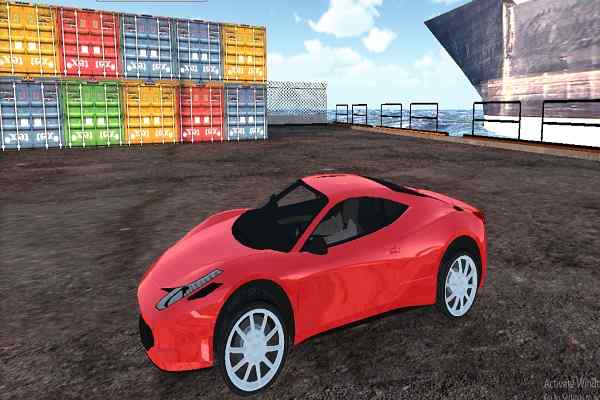
Car Parking 2
- 100%
- 0%
- Favourite
- Share
- Report
- Full Screen


About this game
Introduction
Car Parking 2 is a parking game where you play it right away to explore the different challenges of maneuvering. Use progress or collected rewards to improve the available character, vehicle, weapon, or equipment. Improve available characters, vehicles, weapons, towers, or equipment as described by the game. Use the handbrake when tighter vehicle control is needed.
How to Play Car Parking 2 Game
Follow the main parking objective and review the challenge before taking the first action.
Use the core parking mechanics carefully and adapt your actions to the current objective.
Pay attention to the current challenge and adjust your approach when the game introduces a new parking obstacle or objective.
Use progress or collected rewards to improve the available character, vehicle, weapon, or equipment. Collect stars when they contribute to the objective, score, or progression.
Controls
Keyboard: Have a quick look at its easy-to-understand controls, that include W/Up key to accelerate, A/D or left/right keys to turn left and right, R/Down key to reverse, C to change the camera view, and Space Bar to apply the handbrake.
Main Features of Car Parking 2 Game
Parking Gameplay: Complete objectives using the core parking mechanics described by the game.
Upgrades: Improve available characters, vehicles, weapons, towers, or equipment as described by the game.
Collectibles: Collect stars when they contribute to the objective or progression.
3D Presentation: Play in a three-dimensional game environment.
Camera Control: Change the camera view when the game provides a camera control.
Keyboard Controls: Have a quick look at its easy-to-understand controls, that include W/Up key to accelerate, A/D or left/right keys to turn left and right, R/Down key to reverse, C to change the camera view, and Space Bar to apply the handbrake.
Browser Play: Play directly in a supported web browser without installing the game.
Vehicle Upgrades: Improve vehicles using earned progress or rewards.
Handbrake: Use the handbrake when tighter vehicle control is needed.
Visual Presentation: Uses the visual presentation or artwork described by the source.