




- sports

- action

- cricket

- arcade

- racing

- adventure

- girls

- boys

- hot

- more

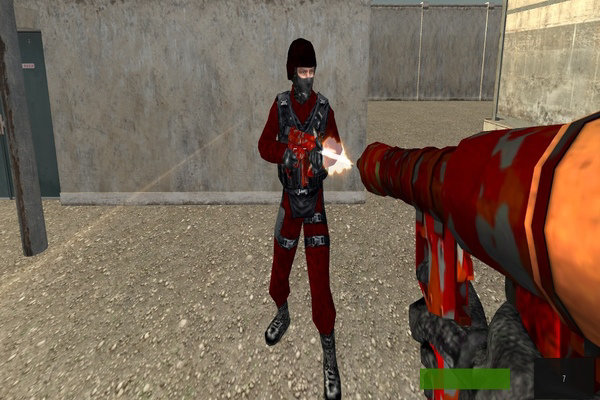
Crazy Shooters 2
- 100%
- 0%
- Favourite
- Share
- Report
- Full Screen


About this game
Introduction
Crazy Shooters 2 is a shooting game where you complete all the initial formalities and head into the game with up sixteen other players. Enter the mission with the available weapons or attacks and focus on the main target or enemy objective. Play with or against another player when supported. Use jumping when it is part of movement, traversal, or the main objective.
How to Play Crazy Shooters 2 Game
Enter the mission with the available weapons or attacks and focus on the main target or enemy objective.
Aim carefully, manage the available weapons, and keep moving so you can deal with targets without taking unnecessary damage.
Watch the surrounding threats and choose when to attack, move, or reload instead of staying exposed.
Complete the current shooting objective and use each successful attempt to improve your timing, accuracy, or overall result.
Controls
Keyboard: Move your character using arrow keys or WASD or shoot your enemies with left mouse button, aim your target with the right mouse button and use R key to reload your gun and jump him with space bar.
Main Features of Crazy Shooters 2 Game
Shooting Gameplay: Aim at targets or enemies and use the available weapons or attacks.
Combat Movement: Combine aiming with movement to handle threats more effectively.
Multiplayer: Play with or against another player when supported.
Weapon Selection: Use the available weapons according to the current combat situation.
Keyboard Controls: Move your character using arrow keys or WASD or shoot your enemies with left mouse button, aim your target with the right mouse button and use R key to reload your gun and jump him with space bar.
Jumping: Use jumping when it is part of movement, traversal, or the main objective.
Character Selection: Choose from available characters when the game provides a selection.
Mobile Play: Supports touch-based play on compatible mobile devices.
Desktop Play: Supports desktop play using the controls described by the game.
Browser Play: Play directly in a supported web browser.
Objective-Based Progression: Follow the game objectives and complete the available challenges to make progress.