




- sports

- action

- cricket

- arcade

- racing

- adventure

- girls

- boys

- hot

- more

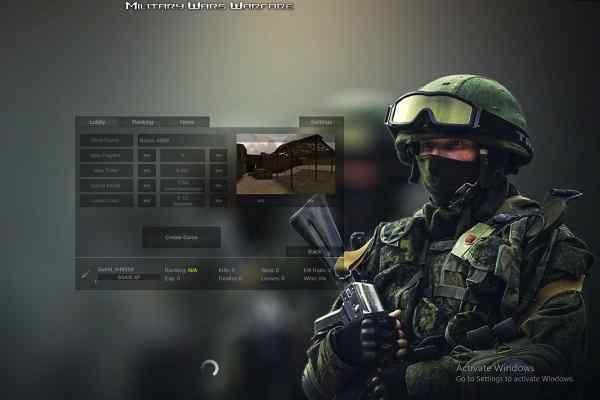
Military Wars Warfare
- 71%
- 29%
- Favourite
- Share
- Report
- Full Screen


About this game
Introduction
Military Wars Warfare is a war game where you choose from a huge variety of landscapes that include an abandoned village or a port city. Reviewing the battlefield, defenses, units, or mission objective before committing to an attack. Use the available units, towers, weapons, or attacks according to the battle situation. Play with or against another player when supported.
How to Play Military Wars Warfare Game
Begin by reviewing the battlefield, defenses, units, or mission objective before committing to an attack.
Position defenses, units, towers, weapons, or attacks carefully and react to enemy pressure before the objective is lost.
Protect the main objective while improving the position or defenses that help stop the next enemy attack.
Complete the current war objective and use each successful attempt to improve your timing, accuracy, or overall result.
Controls
Keyboard: Developed by Adolux, Military Wars: Warfare features easy to control, including WASD or arrow keys to move, left click to shoot, E to pick up a weapon, R to reload, C to crouch and Shift to run.
Main Features of Military Wars Warfare Game
Battle Objectives: Protect, attack, or defend the main objective against enemy forces.
Combat Strategy: Use the available units, towers, weapons, or attacks according to the battle situation.
Multiplayer: Play with or against another player when supported.
3D Presentation: Play in a three-dimensional game environment.
Weapon Selection: Use the available weapons according to the current combat situation.
Keyboard Controls: Developed by Adolux, Military Wars: Warfare features easy to control, including WASD or arrow keys to move, left click to shoot, E to pick up a weapon, R to reload, C to crouch and Shift to run.
Desktop Play: Supports desktop play using the controls described by the game.
Sound Effects: Includes music or sound effects described by the source.
Visual Presentation: Uses the visual presentation or artwork described by the source.
Browser Play: Play directly in a supported web browser.
Objective-Based Progression: Follow the game objectives and complete the available challenges to make progress.