




- sports

- action

- cricket

- arcade

- racing

- adventure

- girls

- boys

- hot

- more


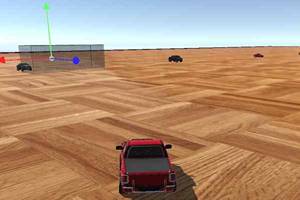
Scrap GL Micro
- 100%
- 0%
- Favourite
- Share
- Report
- Full Screen


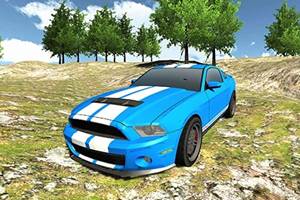


About this game
Introduction
Scrap GL Micro is a car game where you choose from a huge variety of replicas of luxury cars like Bugatti, Mercedes, Ford Mustang, Lamborghini and many more others. Do is just click on them and drag them into several useful direction and you will see that obstacle starts moving. Control a car through racing, stunt, parking, or route-based challenges. Play with or against another player when supported.
How to Play Scrap GL Micro Game
Choose the available vehicle or route, then keep the car under control as the driving challenge begins.
Control speed and steering while reacting to turns, traffic, ramps, rivals, and obstacles along the route.
Use controlled steering and braking around difficult sections instead of relying only on maximum speed.
Complete the current car objective and use each successful attempt to improve your timing, accuracy, or overall result.
Controls
Mouse: All you need to do is just click on them and drag them into several useful direction and you will see that obstacle starts moving.
Mouse: In order to move the obstacle, hold the control button and apply mouse again.
Mouse: You will see rotating it into a particular direction on the basis of which axis you want to drag.
Mouse: Right click away on the map after placing the obstacle and you will see that it has been placed.
Mouse: Click it one again to make it transparent and use it again.
Main Features of Scrap GL Micro Game
Car Driving: Control a car through racing, stunt, parking, or route-based challenges.
Vehicle Control: Manage speed and steering through difficult sections.
Multiplayer: Play with or against another player when supported.
3D Presentation: Play in a three-dimensional game environment.
Obstacle Avoidance: Navigate around hazards that can slow, damage, or stop your progress.
Map Tracking: Use the on-screen map when it helps track objectives or locations.
Mouse Controls: All you need to do is just click on them and drag them into several useful direction and you will see that obstacle starts moving.
Main Objective: Do is just click on them and drag them into several useful direction and you will see that obstacle starts moving.
Desktop Play: Supports desktop play using the controls described by the game.
Browser Play: Play directly in a supported web browser.